



Ordering from a familiar restaurant sounds simple, but the quality of the experience often depends on how much work the app saves between deciding what to eat and picking it up. I spent time with Zaxbys as a Food & Drink app, and my impression is fairly clear: it is most useful when I already know I want Zaxby’s and plan to order there more than once. It brings ordering and rewards together, but it is not a universal food-ordering tool, so its value depends heavily on how close a participating restaurant is and how often you return.
The app comes from Zaxby's Franchising, LLC and is free to use. It is rated for Everyone, which makes the interface approachable for a broad range of users. The current release is version 13.1.2, and it supports devices running Android 7.0 or later. Those details matter less than the everyday workflow, though: finding a restaurant, building an order, checking the final details, and using rewards without turning a quick meal into a long session.
How the everyday Zaxby’s ordering workflow feels
The most sensible way to use the app is to begin with the practical question: am I ordering for pickup, planning ahead, or simply checking what is available? I would not open it casually in the same way I might browse a broad delivery marketplace. The app makes more sense when Zaxby’s is already the destination and I want a direct route to the restaurant’s own ordering experience.
For a first order, I recommend taking a moment to choose the restaurant carefully before customizing food. A nearby location may not be the most convenient one for the trip you are actually making, especially if you are ordering while commuting, collecting food for a group, or meeting someone elsewhere. Starting with the location prevents the frustrating habit of assembling an order and only later realizing that it is tied to the wrong restaurant.
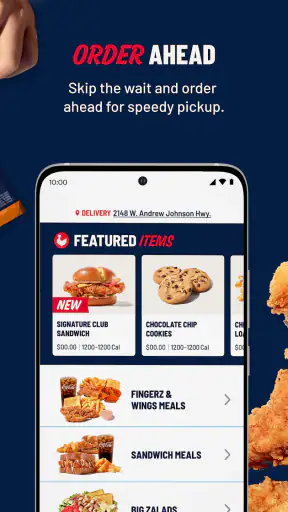
Once the location is settled, I treat the menu as a planning screen rather than a place to rush through. I check the main item, sides, drink choices, and any available customization before moving forward. This is particularly helpful for group orders, where a missed side or an incorrect drink can create more inconvenience than the time saved by tapping quickly.
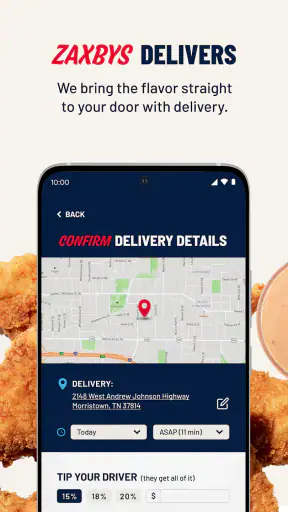
The checkout stage deserves attention. I look over the selected location, the order contents, pickup details, and the total before submitting. That small pause is one of the most useful habits with any restaurant app, but it matters especially when an order contains several meals. If something looks wrong, it is easier to correct it before payment or confirmation than after arriving at the restaurant.
A realistic use case is a weekday lunch when I know I have only a short break. I can decide on the order before leaving my desk, select the location that fits my route, and avoid standing in line to explain the order. The benefit is not that the app transforms lunch; it is that it removes repeated decisions at the busiest moment. For that scenario, the direct connection to Zaxby’s is more valuable than a large collection of unrelated restaurants.
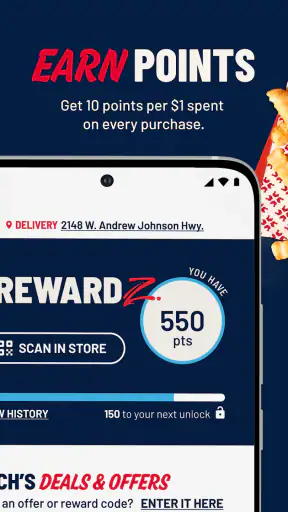
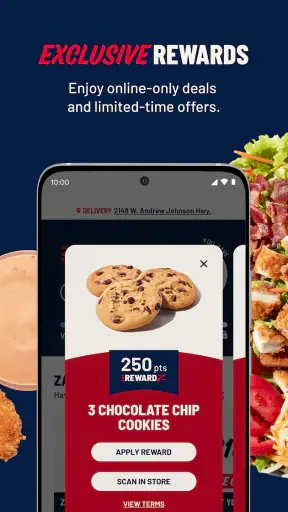
Rewards are part of the same workflow rather than a separate reason to open the app. I check whether my account is signed in before ordering, then pay attention to how the order is credited and whether a reward is available for redemption. Experienced users should avoid treating rewards as an afterthought. If I wait until the final screen to think about them, I am more likely to miss an opportunity or choose an order that does not fit the reward I intended to use.
That said, I would not assume that every order should be changed just to use a reward. A reward is useful when it matches what I already want. If redeeming it forces me into an inconvenient location, an unwanted item, or a larger order, the apparent saving may not be worth the extra planning. The app can support a repeat habit, but it should not dictate every meal.
Settings and account details worth checking early
The most important “settings” here are the choices that affect ordering accuracy: the selected restaurant, account status, payment details, and notification preferences available on the device. I recommend checking these before relying on the app for a time-sensitive meal. A restaurant app is only convenient when its basic details are already correct.
Signing in before the moment of hunger is a small but worthwhile improvement. It gives me time to resolve account problems, review reward progress, and become familiar with the ordering flow without a queue waiting behind me. If I am using the app for the first time, I would make a low-pressure test order or at least browse the process before a busy lunch or family pickup.
Device notifications are another area worth reviewing. I prefer to allow only the alerts that help me complete an order or notice something relevant to my account, rather than accepting every prompt automatically. If notifications become distracting, adjusting them at the system level can make the app feel less intrusive without abandoning it entirely.
I also keep the app updated when a new release is available, especially because restaurant ordering depends on current menus, account handling, and checkout behavior. The listed version is 13.1.2, and the app has been available since Dec 15, 2016, so it is not a brand-new experiment. Still, a long-running app can accumulate changes over time, and updating is a sensible first step when an ordering screen behaves unexpectedly.
Privacy-conscious users may want to separate “convenience” from “automatic permission.” I do not grant access simply because an app requests it. For location-related convenience, I prefer to select a restaurant manually when that is faster or when I am ordering for a different destination. This habit also reduces the chance of ordering from the wrong location because the phone guessed where I was rather than where I intended to pick up.
Another useful check is the device itself. Since the minimum operating system is Android 7.0, the app remains accessible to many older Android phones, but older hardware may still make menus or transitions feel less responsive than a recent device. I would not judge the ordering service solely by a brief delay on an aging phone. At the same time, anyone using an older device should leave extra time instead of opening the app seconds before a pickup deadline.
Repeatable shortcuts that make regular orders easier
The fastest users are not necessarily the people who tap the quickest. They are the people who remove decisions before opening the app. I keep a short mental list of the meal I usually want, the location that fits my route, and whether I have a reward worth using. That preparation makes the app feel much more direct than browsing every menu section from the beginning.
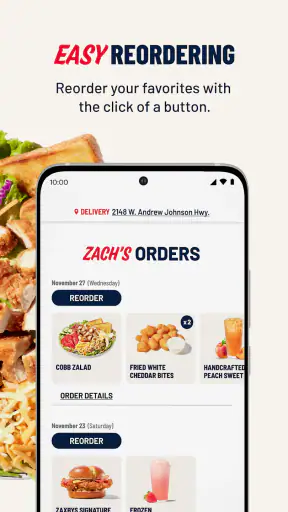
For a repeat order, I still verify the details instead of assuming the previous choice is correct. Restaurant visits change: I may be ordering for another person, using a different location, or choosing a reward this time. The shortcut is remembering the structure of the order, not blindly repeating it. This distinction prevents convenience from turning into avoidable mistakes.
Another effective pattern is to build the order in a stable sequence. I choose the restaurant first, select the main food, review sides and drinks, then check rewards and checkout. Keeping that order consistent reduces backtracking. It also makes it easier to notice when something is missing, because I know which stage I have already completed.
For families or coworkers, I find it helpful to collect everyone’s choices before starting the order. One person can confirm the meals while another checks preferences and drinks. The app itself does not need to become a group chat; the useful habit is preparing the information outside the checkout flow. This reduces the chance of leaving the screen repeatedly and losing track of what has already been added.
Timing is another practical shortcut. I prefer to submit an order with enough margin to handle a slow connection, a correction, or an unexpected change in plans. Ordering too early can be inconvenient if the timing is uncertain, while ordering at the last possible moment removes the main advantage of mobile ordering. The best use is a planned window, not a gamble against the clock.
I also compare direct ordering with the alternatives I already use. A general delivery marketplace may be better when I want to compare several restaurants, combine food from different places, or see delivery options in one screen. The Zaxby’s app is better when I want a direct relationship with one chain, want to use its rewards, and am comfortable handling pickup or the options presented by that restaurant. Neither approach wins every situation.
That comparison is important because the app’s value is concentrated rather than broad. Someone who eats at Zaxby’s occasionally and mainly wants to explore local restaurants may gain little from installing another dedicated app. Someone who returns regularly can benefit from having ordering and rewards in the same place, provided the account and location habits are set up properly.
Where the experience reaches its limits
The average rating is 3.0 from around 7,600 ratings, with roughly 4,300 written reviews. I read that as a sign to keep expectations realistic rather than as a reason to dismiss the app immediately. A restaurant app is judged not only by its interface but also by location-specific menu availability, order timing, account behavior, and what happens when a store is busy. Those variables can make one person’s experience very different from another’s.
The app has passed one million installs, which shows that it serves a substantial audience, but popularity does not guarantee a smooth experience on every phone or at every restaurant. I would still test the workflow before depending on it for an important event. A quick browse is enough to discover whether the location selection, menu, sign-in, and checkout feel comfortable on my device.
One limitation is that a dedicated chain app cannot replace a broad ordering service. If I am comparing prices across restaurants, arranging delivery through a platform I already use, or ordering for a group with different restaurant preferences, I would probably choose the broader alternative. Installing Zaxbys makes sense when the restaurant itself is central to the decision, not when I need a general-purpose food directory.
Another limitation is the possibility of over-focusing on rewards. Rewards can encourage repeat visits, but they also add a layer of account management. I need to remember to sign in, inspect the available redemption choices, and confirm that the reward fits the order. For a person who dislikes loyalty programs or does not visit often enough to use them, this may feel like unnecessary friction.
I would also avoid treating the app as a guarantee that the in-store experience will be perfect. Mobile ordering can make the ordering stage clearer, but it cannot remove every issue connected with restaurant workload, pickup timing, or an incorrect selection. My best practice is to review the confirmation and keep the order details available until the food is collected, particularly when ordering for several people.
Users with older phones should consider performance and storage habits as well. The minimum operating system is friendly to older Android devices, but compatibility alone does not promise the same responsiveness as a newer phone. If the app feels sluggish, I would close other demanding apps, check the connection, and avoid waiting until the last minute. Those are ordinary troubleshooting steps, but they matter more when food and time are both involved.
Who should use it and who should skip it
I would recommend Zaxbys to regular Zaxby’s customers who want a repeatable way to order and keep rewards in view. It is also a good fit for people who prefer planning pickup before leaving home, office workers with predictable lunch routes, and families who want to review a larger order on a phone instead of reciting it at a counter.
It is less compelling for someone who rarely visits the chain, has no interest in rewards, or wants one app for every restaurant. In those cases, the extra installation and account step may not provide enough benefit. I would also steer users toward a general marketplace when delivery comparison or multi-restaurant browsing is more important than direct ordering from Zaxby’s.
For a new user, my practical recommendation is to install it before you need it, select the restaurant you are most likely to use, and browse the checkout path without rushing. On the first real order, verify every item and the location. After that, create a personal routine: open the app with a meal decision already made, check rewards once, review the final order, and submit with enough time to spare.
My verdict after building a repeatable routine
The strongest part of Zaxbys is its focused workflow, not its breadth. It puts direct ordering and rewards in one place for people who already choose Zaxby’s. When I use it with a known location, a prepared order, and a quick final review, it can make pickup planning noticeably easier.
My reservations are equally straightforward. The middling 3.0 average suggests that not every user finds the experience consistently smooth, and a dedicated restaurant app will never be as flexible as a broad food-ordering alternative. Rewards also require attention rather than working as effortless savings. I would not install it simply because it is free; I would install it because I expect to order from Zaxby’s often enough for the routine to pay off.
Overall, I see it as a practical companion for repeat customers rather than an essential app for everyone. If Zaxby’s is part of your normal meal rotation, the best results come from combining a preferred location, an account checked in advance, a consistent order sequence, and a careful confirmation step. If those habits sound useful, this app earns a place on the phone. If you are looking for restaurant discovery, delivery comparison, or occasional one-off ordering, another option will probably serve you better.


